






ORIGAMIProjectSales and non-sales work, in one pipeline
Run sales deals and internal projects side by side, see every project's stage at a glance, and keep its tasks, people and documents together.

HOW A PROJECT RUNS
- 1Sales & non-sales
- 2Project pipeline
- 3Task management
- 4Progress tracking
PROJECT
Part of Origami Customer & Sales
One place for every project, sales or not.
Origami Project manages every kind of work, from sales deals to internal projects, with a pipeline that shows the status and progress of each stage.
From kick-off to tracking and tasks, the team works from one system, with less duplication and clearer follow-up.
SEE IT IN ACTION
Four views of every project
Pick a view to see the real screen.
Projects move from Open to Presentation, Quotation, Sale order and Complete, with the value at each stage.
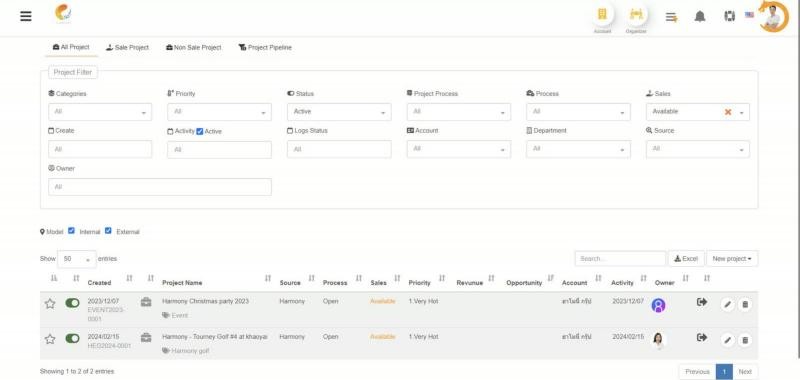
See all features →Filter sales and internal projects by status, priority, process, account and owner.
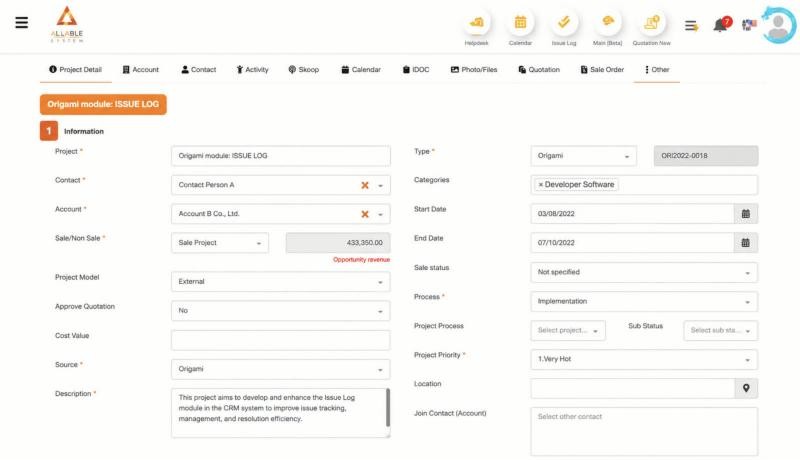
See all features →Account, contact, activities, Skoop, calendar, documents, photos, quotations and sales orders on one page.
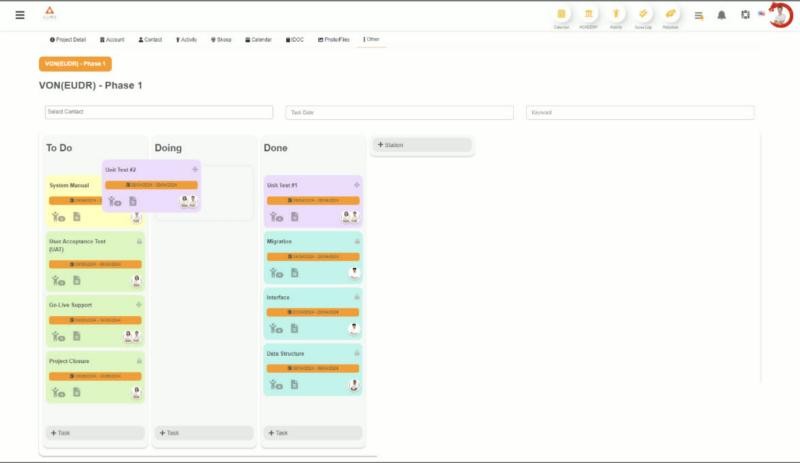
See all features →Each project has its own task board that the team updates by dragging cards.
Explore Origami My Task →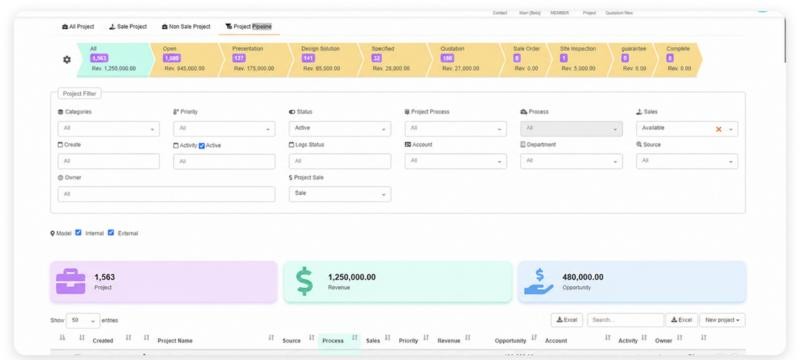
COLLABORATION & INTEGRATION
Projects connected to sales and daily work
Project data links to the customer, the work done and the tasks still to do.
Ready to fold your business into one system?
Run sales and internal projects clearly, from pipeline to the last task.