






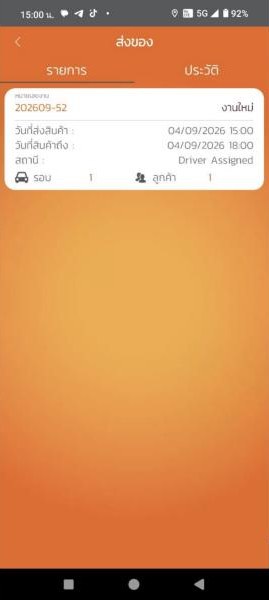
Assigned jobs
New delivery jobs arrive on the phone with dates, rounds and customers.
A transportation operations platform that connects planning, people, vehicles and delivery execution in one structured workflow, from Delivery Order to closed job.
ONE WORKFLOW FOR EVERY DELIVERY
TMS
Part of Robusta · Logistics
It starts with a Sales Order, becomes a Delivery Order, and then becomes a shipment that someone has to plan, assign, execute and close.
Robusta TMS gives the logistics team one place to record that work, connecting Delivery Orders with vehicles, drivers, operational status and shipment records. Less duplicate entry, less searching through documents, and a clearer record of every trip.
KEY FEATURES
01
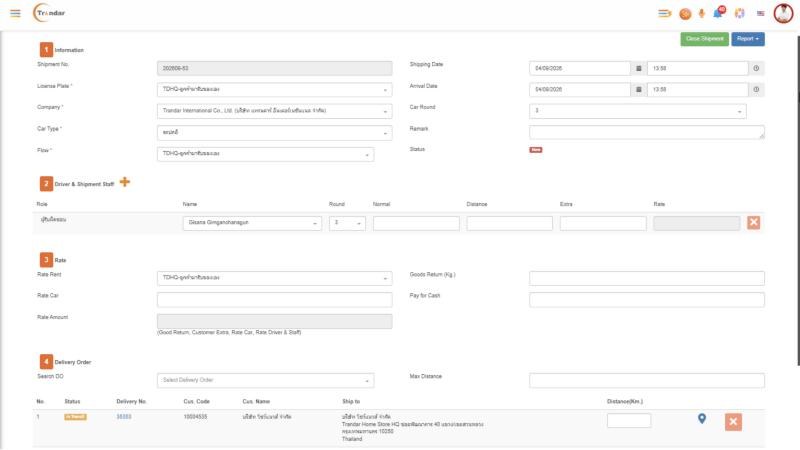
Select existing Delivery Orders instead of re-entering every item, then set everything the trip needs. Check the DO number and ship-to company before saving.
02
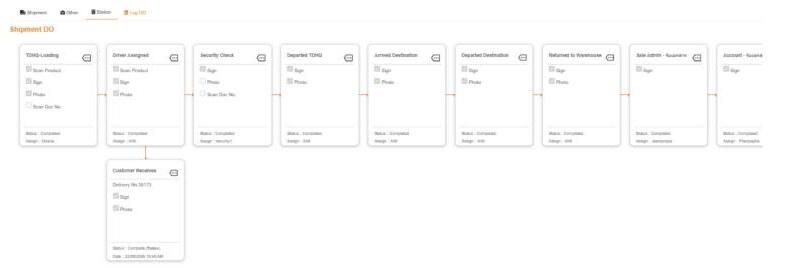
Each shipment carries a flow of stations, and each station records what it needs, such as a signature, photo, product scan or document number.
03
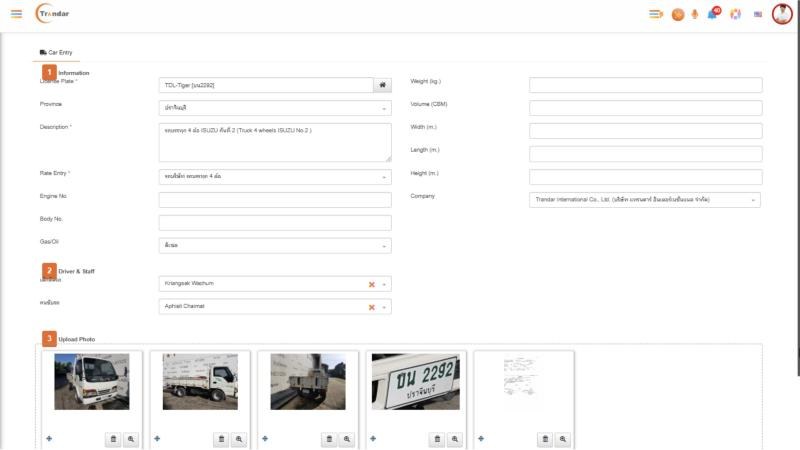
Keep vehicle records ready for planning. Regular drivers and assistants are set on the vehicle, so choosing the vehicle brings up its crew.
DRIVER MOBILE
Drivers follow the flow on the Robusta app: check goods, leave the warehouse, arrive, customer sign, leave the site and return. Each step updates the shipment.
New delivery jobs arrive on the phone with dates, rounds and customers.
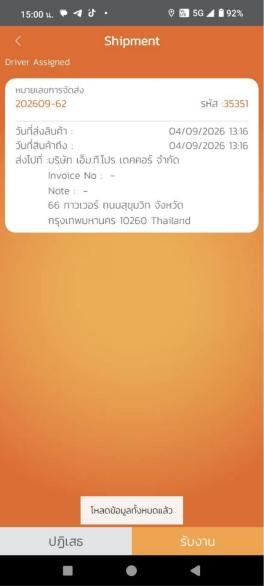
See where the goods are going, then accept the job and start the flow.
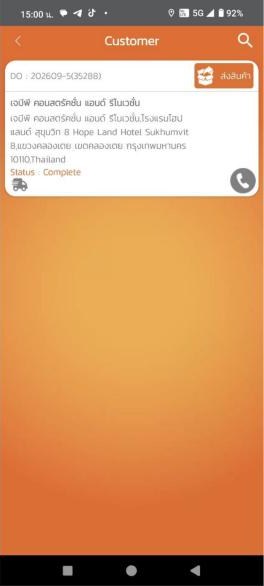
At the site, the customer signs to accept the delivery, attached to the shipment.
VISIBILITY & REPORTING
Pick a view to see the real screen.
Shipments, rate amount, car rounds, average delivery time and delivery orders, with top drivers, delivery status and the busiest vehicles.
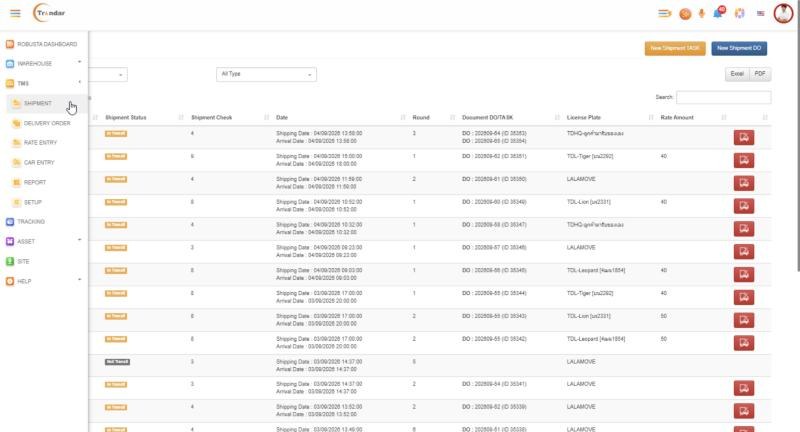
See all features →Status, checked steps, shipping and arrival dates, round, delivery orders, licence plate and rate for every trip, exportable to Excel or PDF.
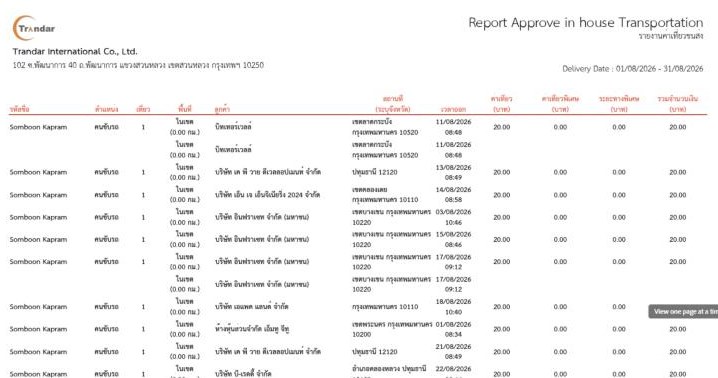
See all features →Reports such as Approve In-house Transportation pull trip data together, for example so HR can prepare transportation allowances.
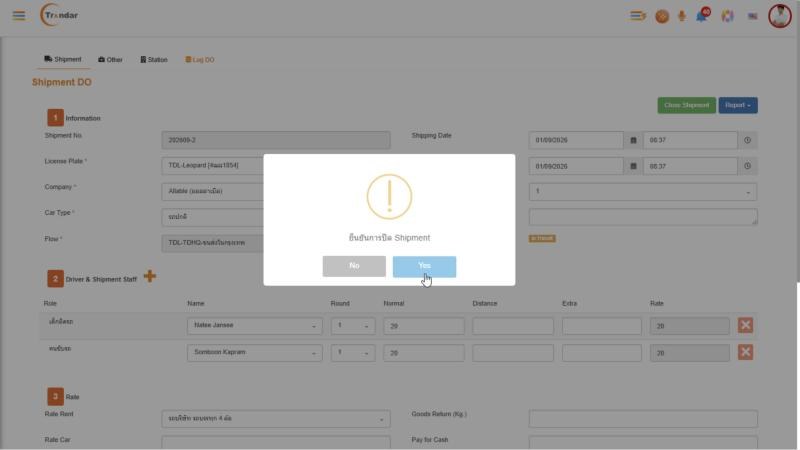
See all features →Before a shipment is closed, the planner reviews its flow and contents and confirms, so every trip has a complete record.
See all features →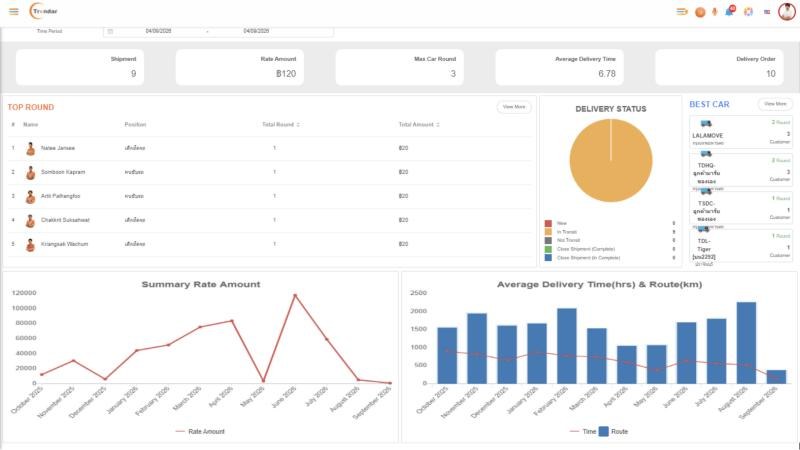
CONNECTED DATA
Each kind of data comes into Robusta in the way it is supported today.
COLLABORATION & INTEGRATION
Shipment records keep working after the truck is back.
Run every delivery in one structured workflow, from planning to the closed job.